Introduction
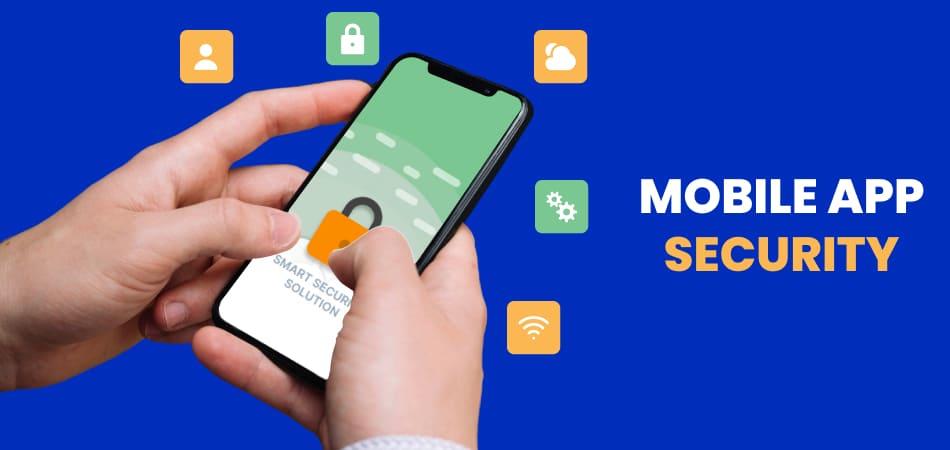
In today’s digital age, mobile applications have become a cornerstone of daily life, facilitating everything from communication and shopping to banking and healthcare. As mobile app usage continues to surge, so does the potential for cyber threats. Ensuring robust security features during mobile app development is not merely an option; it is a necessity. A secure application not only protects user data but also builds trust and maintains the brand’s reputation. In this blog, we will explore the importance of mobile app security, identify common attack vectors, and provide an essential security checklist to guide developers in implementing effective security measures throughout the development lifecycle.
Why Mobile App Development Security Matters
Mobile applications are prime targets for cybercriminals due to their accessibility and the sensitive data they often handle. According to a report from App Watchdog, 75% of mobile applications have critical vulnerabilities that can be exploited. This alarming statistic underscores the need for stringent security practices. Mobile app security matters for several reasons:
- Protection of Sensitive Data Mobile apps frequently handle sensitive user data, including personal identification information, financial details, and health records. Breaches can lead to identity theft, financial loss, and legal repercussions.
- User Trust Users are increasingly aware of privacy issues. A single security incident can tarnish a brand’s reputation and lead to user churn. Building and maintaining trust through secure applications is essential for business sustainability.
- Regulatory Compliance Various regulations, such as the General Data Protection Regulation (GDPR) and the Health Insurance Portability and Accountability Act (HIPAA), impose strict data protection requirements. Legal action and heavy fines may follow noncompliance.
- Financial Implications Security breaches can lead to significant financial losses, including the costs of remediation, potential lawsuits, and loss of revenue due to damaged reputation.
- Business Continuity A compromised application can disrupt business operations. Ensuring security helps maintain operational integrity and protects against service interruptions.
Three Key Attack Vectors Targeting Mobile Applications
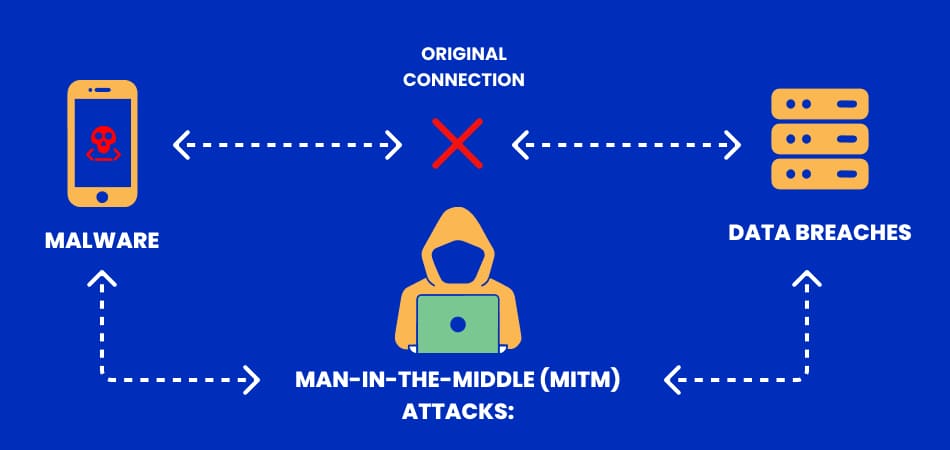
Understanding the attack vectors targeting mobile applications is crucial for developing effective security strategies. The three key attack vectors include:
- Malware Malicious software can infiltrate devices through infected apps, leading to data theft, unauthorized access, and device control.
- Man-in-the-Middle (MitM) Attacks In MitM attacks, an attacker intercepts communication between the user and the application, potentially stealing sensitive information such as login credentials or financial data.
- Data Breaches Poorly secured applications can lead to unauthorized access to databases, exposing sensitive user data. Data breaches can occur due to weak APIs, insecure data storage, or vulnerabilities in the code.
Essential Security Checklist for Your Mobile App
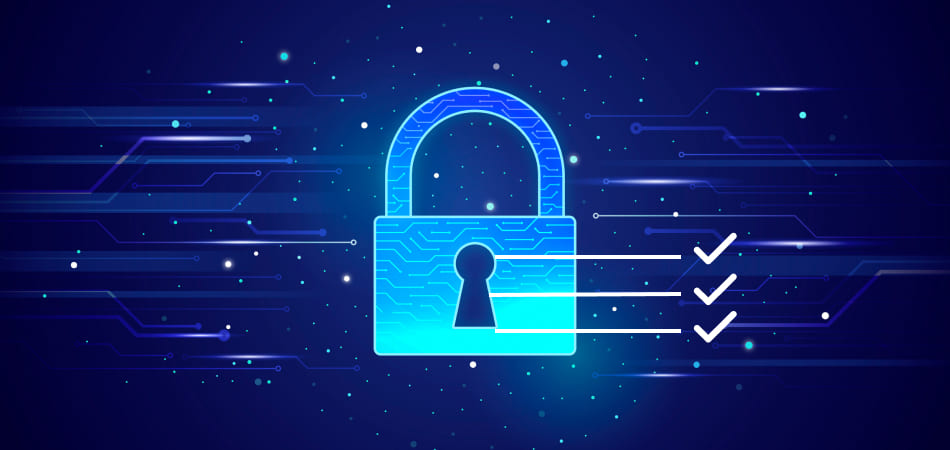
To ensure a robust security posture for your mobile application, follow this essential security checklist:
1. Start with a Secure Codebase
The foundation of any secure mobile application is a solid codebase. Implementing secure coding practices and conducting thorough code reviews and audits is essential.
- Use Secure Coding Practices: Follow guidelines from organizations such as OWASP (Open Web Application Security Project) to avoid common vulnerabilities like SQL injection, cross-site scripting (XSS), and insecure data storage.
- Code Reviews and Audits: Regularly conduct code reviews and audits to identify vulnerabilities and ensure adherence to secure coding standards. Tools like SonarQube can assist in automating this process.
2. Implement Strong Authentication and Authorization
Authentication and authorization are critical components of mobile app security.
- Multi-Factor Authentication (MFA): Put MFA into place to increase security even further. This requires users to provide two or more verification factors, significantly reducing the risk of unauthorized access.
- OAuth and OpenID: Utilize OAuth for secure delegated access and OpenID for identity verification. These protocols help manage user sessions securely while allowing third-party services to access user data without exposing sensitive information.
3. Encrypt Data
Data encryption is vital for protecting user information from unauthorized access.
- Data at Rest: Encrypt sensitive data stored on the device using strong encryption algorithms (e.g., AES-256). This ensures that even if an attacker gains access to the device, the data remains protected.
- Data in Transit: Use protocols such as TLS (Transport Layer Security) to encrypt data transmitted over the internet. This prevents interception by malicious actors during data transmission.
4. Secure APIs
APIs are essential for mobile apps, but they can also be vulnerable points of attack.
- API Gateway: To control and safeguard API traffic, use an API gateway. This can help monitor requests, enforce security policies, and prevent unauthorized access.
- Token-Based Authentication: Implement token-based authentication methods, such as JWT (JSON Web Tokens), to secure API access. This approach eliminates the need for users to send sensitive information, like passwords, with every request.
5. Implement Secure Data Storage
How and where data is stored significantly impacts app security.
- Avoid Storing Sensitive Data: Reduce the quantity of private information kept on the device. If possible, store data remotely on secure servers rather than on user devices.
- Secure Storage Solutions: Utilize secure storage solutions, such as the iOS Keychain or Android’s EncryptedSharedPreferences, for storing sensitive data securely on the device.
6. Regularly Update and Patch
To keep your app secure, you must keep it updated.
- Patch Management: Establish a patch management process to ensure that security vulnerabilities are addressed promptly. This includes regularly updating libraries, frameworks, and third-party components.
- Automated Updates: Implement mechanisms for automatic updates to ensure that users receive the latest security patches without requiring manual intervention.
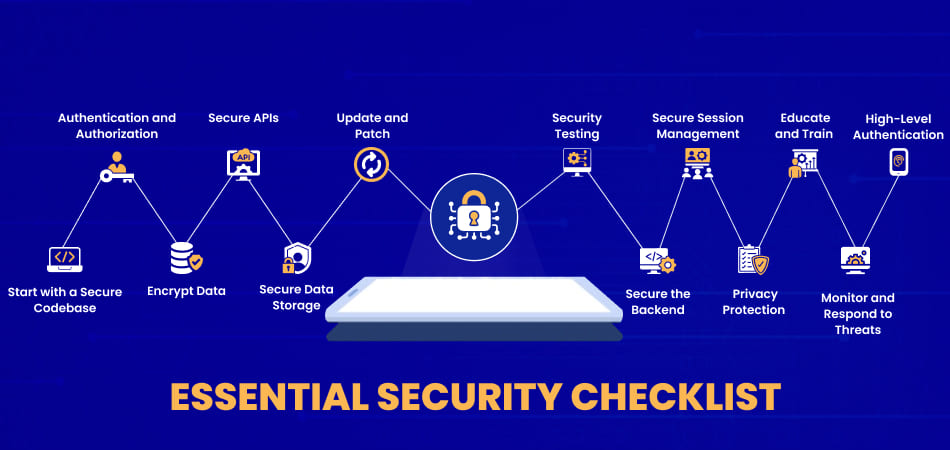
7. Perform Regular Security Testing
Security testing should be an integral part of the development process.
- Static Analysis: Use static analysis tools to review code for vulnerabilities without executing it. This helps identify potential issues early in the development cycle.
- Dynamic Analysis: Conduct dynamic analysis through penetration testing to simulate real-world attacks and identify vulnerabilities in the running application.
- Fuzz Testing: Implement fuzz testing to discover vulnerabilities by sending random or unexpected inputs to the application. This helps identify potential security weaknesses that may not be apparent during regular testing.
8. Secure the Backend
A secure backend is essential for supporting mobile application security.
- Database Security: Secure databases by implementing access controls, encryption, and regular security audits. Ensure that sensitive data is stored securely and that only authorized personnel have access.
- Server Hardening: Harden your servers by disabling unnecessary services, applying security patches, and configuring firewalls to protect against unauthorized access.
9. Implement Secure Session Management
Proper session management is critical for maintaining secure user interactions.
- Session Expiry: Implement session expiration policies to automatically log users out after a period of inactivity. This helps reduce the risk of unauthorized access if a user leaves their device unattended.
- Token Revocation: Provide mechanisms for token revocation to invalidate user sessions upon logout or when suspicious activity is detected.
10. User Privacy Protection
Protecting user privacy is a critical component of mobile app security.
- GDPR Compliance: Ensure that your application complies with data protection regulations such as GDPR. This includes obtaining user consent for data collection and providing options for data access and deletion.
- Anonymization and Pseudonymization: Implement data anonymization and pseudonymization techniques to protect user identities while still allowing for data analysis.
11. Educate and Train Your Team
Your development team plays a crucial role in ensuring application security.
- Security Awareness Training: Provide ongoing security awareness training to help team members understand potential threats and the importance of secure coding practices.
- Secure Development Lifecycle (SDL): Adopt a Secure Development Lifecycle approach that incorporates security practices throughout the development process, from design to deployment.
12. Monitor and Respond to Threats
Proactive monitoring and response mechanisms are essential for maintaining security.
- Logging and Monitoring: Implement robust logging and monitoring systems to track user activity and identify potential security incidents in real time.
- Incident Response Plan: Develop a comprehensive incident response plan to ensure a quick and effective response to security breaches. Regularly review and update the plan to account for new threats and vulnerabilities.
13. High-Level Authentication Through Digital Identification
Digital identification technologies enhance security measures by verifying user identities more reliably than traditional methods, thus mitigating risks associated with unauthorized access.
- Biometric Authentication: This method utilizes unique biological characteristics, such as fingerprints, facial recognition, or iris scans, to authenticate users. Biometrics are difficult to replicate, making this form of authentication highly secure.
- Digital Certificates: Digital certificates authenticate the identity of users and devices by binding public keys to their identities. These certificates are issued by trusted Certificate Authorities (CAs) and are used in secure communications over the Internet.
- Multi-Factor Authentication (MFA): MFA combines two or more verification methods, such as something the user knows (password), something the user has (smartphone app or token), and something the user is (biometric).
Top Security Best Practices for Mobile Apps
| Security Aspect | Best Practices |
| Secure Codebase | Use secure coding practices, conduct regular code reviews and audits |
| Authentication | Implement MFA, use OAuth and OpenID |
| Data Encryption | Encrypt data at rest (AES-256), encrypt data in transit (TLS/SSL) |
| API Security | Use API gateway, implement token-based authentication |
| Data Storage | Minimize stored sensitive data, use secure storage solutions |
| Updates and Patches | Timely updates and patches, implement automated updates |
| Security Testing | Static analysis, dynamic analysis, fuzz testing |
| Backend Security | Secure database (parameterized queries), server hardening |
| Session Management | Implement session expiry, token revocation |
| User Privacy | Ensure GDPR compliance, anonymize/pseudonymize data |
| Team Education | Provide security awareness training, follow secure development lifecycle |
| Threat Monitoring | Implement logging and monitoring, have an incident response plan |
Conclusion
Ensuring security features during mobile app development is a multifaceted process that requires careful planning, implementation, and ongoing management. By prioritizing security from the outset and following the essential checklist provided, developers can significantly reduce the risk of vulnerabilities and cyber threats. As mobile applications continue to evolve, so do the techniques employed by cybercriminals, making it imperative for developers to remain vigilant and proactive in their approach to security.
Investing in robust security measures not only protects sensitive user data but also fosters trust and loyalty among users. In an increasingly competitive digital landscape, ensuring security features during mobile app development is not just a best practice; it is a critical component of business success.