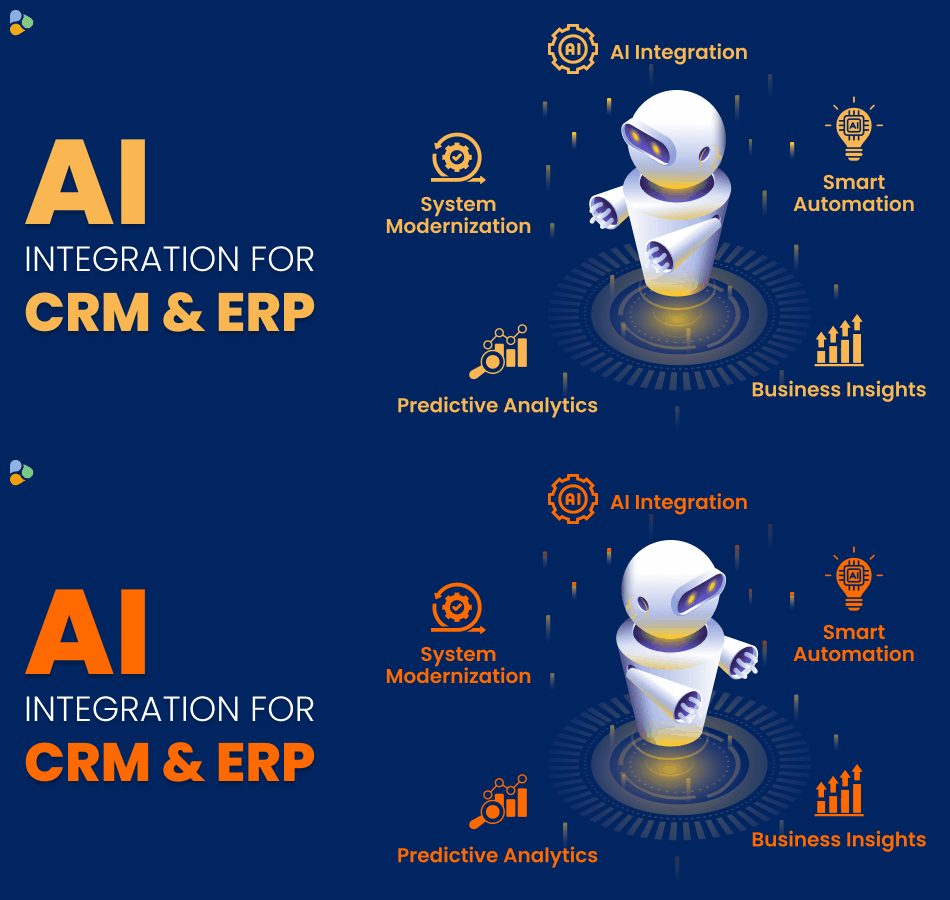
If your business already uses a CRM or ERP system, you can often add AI to the system you already have. This can help automate repetitive tasks, analyze business data, improve customer service, generate insights, and help employees make faster decisions.
The good news is that businesses do not necessarily need to rebuild their CRM or ERP from scratch to use AI.
AI can be added through APIs, integrations, automation workflows, AI models, and custom development.
In this guide, we will explain how to add AI to an existing CRM or ERP system, what AI features you can implement, what the process looks like, common challenges, and how to decide where AI can create the most value.
What Does It Mean to Add AI to a CRM or ERP?
Adding AI to a CRM or ERP means connecting artificial intelligence capabilities with your existing business software.
Your CRM or ERP already contains valuable business information such as:
- Customer details
- Sales records
- Purchase history
- Inventory data
- Invoices
- Employee information
- Support tickets
- Business transactions
- Product information
- Financial data
AI can use relevant data from these systems to identify patterns, automate tasks, generate recommendations, answer questions, or help employees work more efficiently.
For example, instead of asking an employee to manually review hundreds of customer records, an AI system could identify customers who are most likely to purchase again.
Similarly, an ERP system could use AI to identify unusual expenses, predict inventory requirements, or summarize financial information.
In simple terms:
CRM/ERP + Business Data + AI = Smarter Business Processes
Why Add AI to Your Existing CRM or ERP?
Replacing an entire CRM or ERP system can be expensive, time-consuming, and disruptive.
If your current system already works well, adding AI can be a more practical approach.
Here are some common reasons businesses integrate AI into existing systems.
1. Automate Repetitive Work
Employees often spend hours entering information, preparing reports, writing emails, checking records, and moving data between systems.
AI can automate many of these repetitive activities.
For example, AI can:
- Summarize customer interactions
- Create meeting notes
- Categorize support requests
- Extract information from documents
- Draft customer emails
- Generate reports
- Update selected CRM records
- Identify duplicate or incomplete data
This allows employees to spend more time on work that requires human judgment.
2. Get Better Business Insights
CRM and ERP systems contain large amounts of business data, but having data is not the same as understanding it.
AI can analyze historical and real-time information to identify patterns and trends.
For example:
“Which customers have not purchased anything in the last six months?”
Instead of manually filtering reports, an AI-powered system could answer the question using your existing business data.
3. Improve Customer Experience
AI can help sales and customer support teams understand customers better.
For example, AI can analyze:
- Previous purchases
- Customer conversations
- Support history
- Feedback
- Website activity
- Sales interactions
This information can help teams provide more relevant and timely responses.
4. Make Faster Decisions
Managers often need answers from different parts of the business before making decisions.
AI can make it easier to access those answers.
For example:
“Which products generated the highest revenue last quarter?”
“Which customers are at risk of leaving?”
“Which inventory items may run out soon?”
An AI assistant connected to your CRM or ERP could provide answers without requiring users to manually search through multiple reports.
What AI Features Can You Add to an Existing CRM or ERP?
There are many ways to introduce AI into an existing system. You do not need to implement everything at once.
Start with one business problem and expand from there.
AI-Powered Customer Support
AI can be connected to customer information in your CRM to help support teams respond faster.
For example, an AI assistant can:
- Answer common questions
- Summarize customer history
- Find relevant information
- Suggest responses
- Categorize support tickets
- Identify urgent requests
- Help agents find previous solutions
A support employee could ask:
“What issues has this customer reported previously?”
The AI could summarize the customer’s support history from the CRM.
AI Sales Assistant
AI can help sales teams identify opportunities and prioritize their work.
It can analyze customer interactions, previous purchases, sales activity, and other relevant information.
Possible features include:
- Lead scoring
- Sales opportunity recommendations
- Follow-up reminders
- Email drafting
- Customer summaries
- Sales forecasting
- Next-best-action suggestions
For example, the AI might identify a group of leads that show strong buying signals and recommend that the sales team contact them first.
AI-Powered CRM Search
Traditional CRM searches often require users to know exactly what information they are looking for.
AI can make the search experience more conversational.
Instead of using multiple filters, a user could ask:
“Show me customers from Australia who purchased more than $10,000 worth of products this year.”
The AI can interpret the question and retrieve relevant information from the CRM.
This can make business data easier for non-technical employees to access.
AI Reporting and Business Summaries
Managers may not have time to read large spreadsheets and detailed reports.
AI can summarize business information into simple language.
For example:
“Sales increased this month, but three product categories experienced a decline. Customer returns also increased compared with the previous month.”
AI can help turn large amounts of data into understandable business insights.
AI for Inventory Forecasting
ERP systems often contain inventory, sales, purchasing, and supply-chain information.
AI can analyze historical sales and other relevant data to help forecast future demand.
For example, AI could identify:
- Products likely to sell faster
- Items at risk of running out
- Slow-moving inventory
- Seasonal demand patterns
- Potential purchasing requirements
This can help businesses make more informed inventory decisions.
AI Document Processing
Businesses receive many documents every day, including:
- Invoices
- Purchase orders
- Receipts
- Contracts
- Forms
- Delivery documents
AI can extract useful information from these documents and send the data into an ERP or CRM workflow.
For example:
Invoice → AI extracts data → System validates information → ERP records the invoice
This can significantly reduce manual data entry.
AI-Powered Email and Communication
AI can help employees handle large volumes of communication.
For example, AI can:
- Draft replies
- Summarize long email threads
- Classify messages
- Extract action items
- Suggest responses
- Create follow-up tasks
The employee can review the AI-generated content before sending it.
How to Add AI to Your Existing CRM or ERP System
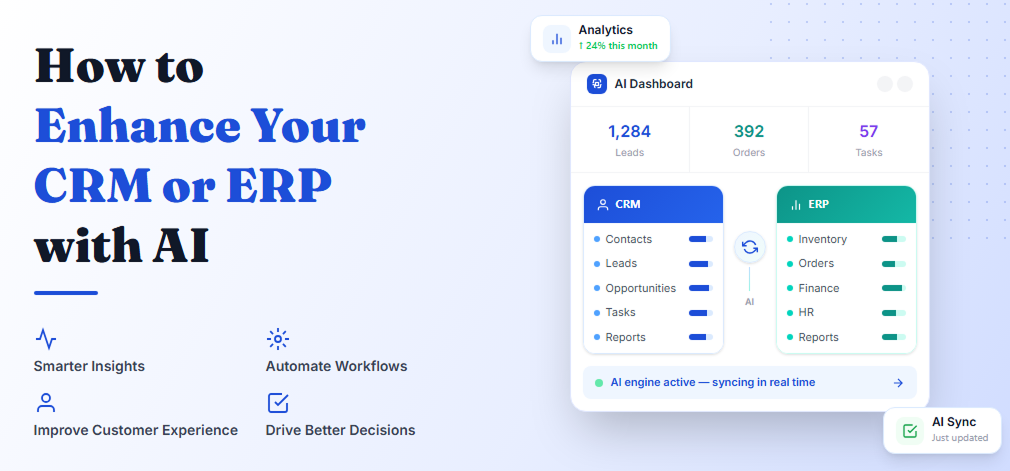
AI integration should be approached as a business and technology project rather than simply adding an AI tool.
Here is a practical step-by-step process.
Step 1: Identify the Business Problem
Do not start by asking:
“Where can we use AI?”
Start with:
“What business problem are we trying to solve?”
For example:
- Sales teams spend too much time qualifying leads.
- Customer support receives too many repetitive questions.
- Managers struggle to understand business reports.
- Employees manually enter invoice data.
- Inventory planning is difficult.
- Employees spend too much time searching for information.
Once the problem is clear, you can determine whether AI is actually the right solution.
Step 2: Understand Your Existing CRM or ERP
Before integrating AI, understand how your existing system works.
Review:
- CRM/ERP platform
- Database structure
- APIs
- Existing integrations
- User roles
- Data sources
- Security controls
- Existing automation
- Custom modules
- Third-party applications
This step is important because every CRM and ERP environment is different.
An AI integration should work with the existing architecture instead of creating unnecessary complexity.
Step 3: Identify the Data AI Needs
AI is only as useful as the data it can access.
Depending on your use case, AI may need information from:
- CRM records
- ERP databases
- Customer conversations
- Documents
- Product catalogs
- Sales transactions
- Support tickets
- Inventory records
- Knowledge bases
At this stage, check whether your data is accurate, complete, structured, and accessible.
Poor-quality data can lead to poor AI results.
Step 4: Choose the Right AI Approach
There is no single AI technology that works for every CRM or ERP use case.
Depending on the requirement, you might use:
Generative AI
Useful for:
- Content generation
- Summaries
- Customer responses
- Business questions
- AI assistants
Machine Learning
Useful for:
- Predictions
- Forecasting
- Classification
- Lead scoring
- Anomaly detection
Retrieval-Augmented Generation (RAG)
Useful when AI needs to answer questions using your business knowledge or internal documents.
For example:
“What is our return policy for enterprise customers?”
The AI can retrieve the relevant company information and use it to generate an answer.
AI Agents
Useful for more complex workflows where AI needs to perform multiple steps.
For example:
Find a customer → check account status → review previous orders → prepare a summary → create a follow-up task.
The right approach depends on the problem, data, risk level, and expected outcome.
Step 5: Connect AI With Your CRM or ERP
This is where the technical integration takes place.
Depending on the platform, AI can communicate with your CRM or ERP through:
- APIs
- Webhooks
- Middleware
- Custom integrations
- Automation platforms
- Database connections
- SDKs
A simplified architecture might look like:
CRM/ERP → API → AI Application → AI Model → Business Logic → CRM/ERP
For example:
- A customer record is retrieved from the CRM.
- Relevant information is sent to the AI service.
- The AI processes the information.
- The application validates the result.
- The result is displayed to the employee or stored in the CRM.
The exact architecture depends on your existing technology environment and the AI use case.
Step 6: Add Security and Access Controls
This is one of the most important parts of AI integration.
CRM and ERP systems can contain sensitive business information.
Before connecting AI, define:
- What data AI can access
- Which users can use AI
- What information AI can retrieve
- What information AI can modify
- Where AI data is processed
- How information is stored
- How access is monitored
For example, an employee in customer support may need access to customer service information but should not automatically receive access to sensitive financial records.
AI access should follow the same business permissions and security principles as the existing system wherever possible.
Step 7: Start With a Small AI Use Case
You do not need to transform your entire CRM or ERP overnight.
Start with one clearly defined use case.
For example:
Phase 1: AI customer summaries
Then:
Phase 2: AI-powered search
Then:
Phase 3: Sales recommendations
Then:
Phase 4: Predictive analytics
This approach makes it easier to measure results, identify problems, and improve the solution before expanding it.
Step 8: Test the AI Integration
Before giving AI access to all employees, test it carefully.
Test:
- Accuracy
- Response quality
- Data access
- Security
- Performance
- Error handling
- User permissions
- Integration reliability
Also test unusual or incorrect inputs.
AI systems can sometimes produce inaccurate or incomplete results, so important business decisions should have appropriate human review.
Step 9: Train Employees
Technology alone does not guarantee adoption.
Employees need to understand:
- What the AI does
- What it does not do
- How to use it
- When to verify its output
- What information they should not enter
- How AI fits into their existing workflow
A simple AI tool that employees actually use can deliver more value than a complex system nobody understands.
Step 10: Measure the Results
After implementation, measure whether the AI integration is actually improving the business.
Useful metrics can include:
- Time saved per employee
- Customer response time
- Lead conversion rate
- Support resolution time
- Data-entry reduction
- Forecast accuracy
- Employee adoption
- Cost savings
- Revenue impact
Use these results to decide whether to improve, expand, or change the AI implementation.
Common Ways to Integrate AI With CRM or ERP
There are several integration approaches.
API-Based Integration
APIs allow different software systems to communicate with each other.
This is commonly used when your CRM or ERP provides APIs for accessing data and performing actions.
Middleware Integration
Middleware can act as a bridge between your CRM/ERP and AI services.
This can be useful when multiple systems need to communicate.
Custom AI Application
For complex requirements, businesses may build a separate AI application that connects with their CRM or ERP.
This gives greater control over:
- User experience
- Business logic
- AI models
- Security
- Workflows
- Data access
AI Copilot or Assistant
Another approach is to build an AI assistant inside or alongside the CRM/ERP.
Employees can ask questions using natural language rather than navigating multiple screens.
Should You Build or Buy an AI Solution?
This is a common question.
Use an existing AI solution when:
- Your requirements are standard
- You need a solution quickly
- The platform already supports AI
- Customization requirements are limited
Consider custom AI development when:
- You have unique business processes
- Your data is highly specialized
- Existing AI features do not meet your requirements
- You need custom workflows
- You require deeper CRM/ERP integration
- You need greater control over the AI experience
In many cases, a hybrid approach works well: use existing AI capabilities where they fit and build custom functionality where your business needs something different.
Common Challenges When Adding AI to CRM or ERP
AI integration can create significant value, but businesses should also understand the challenges.
Poor Data Quality
Incorrect or incomplete data can reduce the quality of AI outputs.
Solution: Clean and organize important business data before implementation.
Data Security
AI may need access to sensitive information.
Solution: Use appropriate authentication, authorization, encryption, access controls, and monitoring.
Integration Complexity
Older CRM and ERP systems may have limited APIs or outdated architecture.
Solution: Evaluate the existing system and use suitable integration methods or modernization where required.
Incorrect AI Responses
Generative AI can sometimes produce inaccurate information.
Solution: Use validation, trusted data sources, business rules, and human review for important tasks.
Employee Resistance
Employees may not immediately trust or understand AI.
Solution: Provide training and introduce AI gradually.
Too Much Customization
Adding too many AI features at once can make a system difficult to manage.
Solution: Start with a measurable business problem and expand gradually.
Best Practices for AI Integration
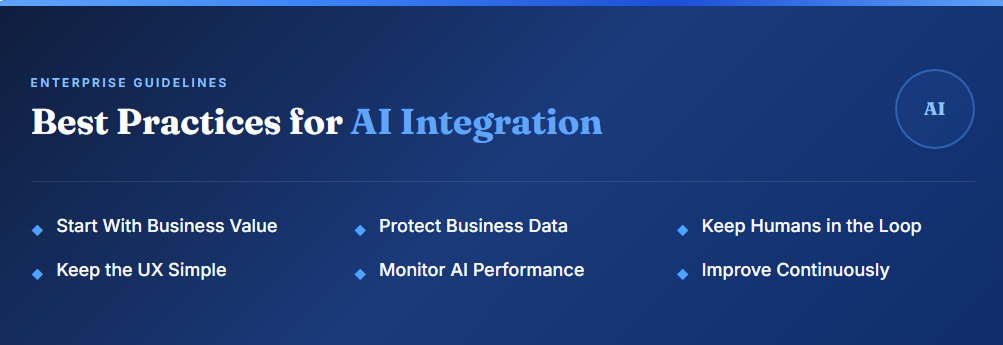
If you are planning to add AI to an existing CRM or ERP, keep these practices in mind.
Start With Business Value
Do not implement AI simply because it is popular. Choose a problem where AI can provide measurable value.
Protect Business Data
Use appropriate security controls and carefully define what information AI can access.
Keep Humans in the Loop
For high-impact decisions, AI should support employees rather than blindly make decisions without oversight.
Keep the User Experience Simple
Employees should not need to understand AI technology to use an AI-powered feature.
Monitor AI Performance
Track accuracy, adoption, errors, and business outcomes after launch.
Improve Continuously
AI integration should be treated as an ongoing process. As your data, workflows, and business needs change, the AI solution may need to evolve too.
Real-World Example: Adding AI to a CRM
Imagine a company has thousands of customers stored in its CRM.
The sales team wants to know which customers are most likely to make another purchase.
A basic AI workflow could look like this:
CRM Data
↓
Customer purchase history + interactions + sales activity
↓
AI/ML model
↓
Customer scoring
↓
Sales recommendations
↓
CRM dashboard
The sales team can then focus on customers with stronger buying signals.
The important point is that the company does not necessarily need to replace its CRM.
The AI layer can work with the existing system.
Real-World Example: Adding AI to an ERP
Imagine a distribution company uses an ERP to manage inventory.
The company regularly experiences stock shortages for some products and excess inventory for others.
AI can analyze:
- Historical sales
- Current inventory
- Purchase orders
- Seasonal patterns
- Product demand
The system can then generate demand forecasts and alerts.
For example:
Product A may reach its minimum stock level within the next two weeks.
The purchasing team can review the recommendation and take action.
Again, the ERP remains the central business system. AI adds an intelligence layer on top of the existing data and workflows.
How Much Does It Cost to Add AI to an Existing CRM or ERP?
There is no single price for AI integration.
The cost depends on several factors, including:
- Existing CRM or ERP platform
- Number of integrations
- AI functionality
- Data volume
- Custom development requirements
- AI model or API costs
- Security requirements
- User count
- Infrastructure
- Testing
- Maintenance
A simple AI assistant connected to a limited data source will usually require less development than a complex AI system that works across multiple ERP modules, databases, documents, and workflows.
Before estimating cost, businesses should define the use case, data requirements, integrations, security requirements, and expected outcomes.
Can You Add AI to an Old CRM or ERP?
Yes, but the difficulty depends on the age and architecture of the system.
Modern CRM and ERP platforms often provide APIs and integration tools that make AI integration easier.
Older systems may have:
- Limited APIs
- Outdated databases
- Custom legacy code
- Poor documentation
- Data-quality issues
- Security limitations
In such cases, businesses may need an integration layer or consider application modernization before implementing advanced AI capabilities.
This is why it is important to assess the existing technology before selecting an AI integration approach.
What Should Businesses Do Before Adding AI?
Before starting an AI project, ask these questions:
- What business problem are we solving?
- Which CRM or ERP data is required?
- Is the data accurate and accessible?
- Does our existing system provide APIs?
- What AI capability do we actually need?
- What information should AI be allowed to access?
- Who will use the AI feature?
- How will we measure success?
- What level of human review is required?
- Can we start with a smaller pilot?
Answering these questions can prevent unnecessary development and help create a more practical AI strategy.
The Future of AI-Connected CRM and ERP Systems
CRM and ERP systems are moving beyond simply storing business information.
AI can turn these systems into more intelligent business platforms that can:
- Understand business data
- Answer natural-language questions
- Identify patterns
- Predict future outcomes
- Recommend actions
- Automate workflows
- Assist employees
- Connect information across departments
The future is not necessarily about replacing CRM and ERP systems with AI.
Instead, businesses can increasingly add intelligence to the systems they already use.
Final Thoughts
Adding AI to an existing CRM or ERP system can help businesses automate repetitive work, understand data faster, improve customer experiences, and support better decision-making.
However, successful AI integration starts with the business problem, not the technology.
Start small. Choose one valuable use case. Understand your data. Protect sensitive information. Test the integration carefully and measure the results.
Once the first AI capability proves its value, you can gradually expand AI across sales, customer support, finance, inventory, operations, and other business processes.
For businesses with an existing CRM or ERP, AI does not always mean starting over. In many cases, it means making the software you already use smarter.
Frequently Asked Questions
Can AI be added to an existing CRM?
Yes. AI can be integrated with an existing CRM through APIs, custom applications, middleware, automation tools, or built-in AI capabilities. Common applications include customer summaries, lead scoring, AI search, sales assistance, and customer support.
Can AI be integrated with an ERP system?
Yes. AI can work with ERP systems to support areas such as demand forecasting, inventory analysis, document processing, reporting, anomaly detection, and workflow automation.
Do I need to replace my CRM or ERP to use AI?
No. In many cases, AI can be integrated with your existing CRM or ERP. Whether replacement or modernization is necessary depends on the system’s architecture, APIs, data quality, and business requirements.
What type of AI is used with CRM and ERP systems?
Different use cases require different approaches. Generative AI can support assistants and content generation, machine learning can support prediction and classification, RAG can help AI work with internal knowledge, and AI agents can automate multi-step workflows.
Is it safe to connect AI to CRM or ERP data?
It can be, provided the integration is designed with appropriate security, access controls, data protection, monitoring, and governance. Businesses should carefully decide what information AI can access and what actions it can perform.
How long does AI integration take?
The timeline depends on the complexity of the project. A simple AI feature connected to one data source may be relatively straightforward, while a complex integration involving multiple systems, custom workflows, security requirements, and large datasets can take considerably longer.
Can small businesses add AI to their existing software?
Yes. Small businesses can start with a focused AI use case such as customer support automation, document processing, AI-powered search, or report summarization rather than implementing a large AI transformation project.
What is the first step in adding AI to a CRM or ERP?
The first step is to identify a specific business problem that AI can solve. After that, evaluate your existing system, data, integrations, security requirements, and the AI approach needed to solve the problem.