In this guide, we’ll break down how Dynamics 365 transforms inventory operations in manufacturing, its key features, benefits, workflows, integrations, and best practices you can apply right away.
Introduction
Manufacturing businesses often struggle with balancing stock levels, minimizing waste, and meeting customer demand on time. Traditional inventory systems are no longer enough in today’s fast-paced supply chain environment.
This is where Dynamics 365 comes in as a powerful ERP solution that connects inventory, production, procurement, and distribution into a single intelligent ecosystem.
It enables manufacturers to track inventory in real time, automate replenishment, reduce stockouts, and improve decision-making with AI-driven insights.
Significant Dynamics 365 Manufacturing Inventory Characteristics
Dynamics 365 offers a wide range of inventory capabilities tailored for manufacturing needs:
Real-Time Inventory Tracking
Every stock movement is recorded instantly across warehouses, production lines, and distribution centers.
Multi-Warehouse Management
Businesses can manage multiple warehouses with centralized control and visibility.
Batch & Serial Number Tracking
Helps in quality control, traceability, and regulatory compliance.
Demand Forecasting
Uses historical data and AI insights to predict future demand.
Automated Replenishment
System-generated purchase and production orders based on predefined thresholds.
Integration with Production Planning
Ensures raw materials are available before manufacturing starts.
Advantages of Dynamics 365 in Inventory Manufacturing
Implementing Dynamics 365 brings several strategic benefits:
1. Improved Inventory Accuracy
Manual errors are reduced as all data is updated automatically in real time.
2. Reduced Operational Costs
Optimized stock levels prevent overstocking and unnecessary storage costs.
3. Better Production Efficiency
Manufacturing schedules are aligned with material availability.
4. Enhanced Customer Satisfaction
Faster order fulfillment leads to improved delivery performance.
5. Data-Driven Decision Making
AI-powered dashboards provide actionable insights for managers.
6. Scalability
Easily supports business expansion across new locations and markets.
Dynamics 365 Inventory Control Processes
Inventory control in Dynamics 365 follows a structured and automated workflow:
Step 1: Inventory Planning
Demand forecasting tools estimate required stock levels.
Step 2: Procurement Management
Purchase orders are automatically generated when stock is low.
Step 3: Receiving Goods
Incoming materials are scanned and recorded into the system.
Step 4: Storage Allocation
Inventory is placed in optimized warehouse locations for easy retrieval.
Step 5: Production Consumption
Raw materials are consumed during manufacturing and updated in real time.
Step 6: Finished Goods Tracking
Final products are tracked until delivery to customers.
Step 7: Reporting & Reconciliation
Inventory reports ensure accuracy and highlight discrepancies.
Integration Between Warehouses and Supply Chain
One of the strongest capabilities of Dynamics 365 is its seamless integration across the supply chain.
Key Integrations Include:
- Warehouse Management System (WMS)
- Procurement & Sourcing
- Transportation Management
- Sales & Distribution
- Supplier Collaboration Portals
How It Helps:
- Eliminates data silos between departments
- Improves coordination between suppliers and warehouses
- Ensures faster order processing
- Enhances visibility across the entire supply chain
With full integration, businesses gain end-to-end control over inventory flow—from supplier to customer.
Inventory Data Insights and Reporting
Data is the heart of smart inventory management.
Dynamics 365 provides advanced analytics and reporting tools such as:
Real-Time Dashboards
Monitor stock levels, demand trends, and warehouse performance instantly.
Predictive Analytics
Forecast shortages and overstock risks before they happen.
Cost Analysis Reports
Track storage costs, procurement expenses, and waste reduction.
Inventory Turnover Reports
Identify fast-moving and slow-moving products.
AI-Based Recommendations
Suggest optimal reorder points and stock distribution strategies.
These insights help manufacturers make proactive decisions instead of reactive ones.
Best Practices in Inventory Management in Manufacturing
To maximize the benefits of Dynamics 365, manufacturers should follow these best practices:
Maintain Accurate Data Entry
Ensure all stock movements are properly recorded.
Use Automated Alerts
Set alerts for low stock and delayed shipments.
Regularly Review Inventory Reports
Analyze trends to adjust procurement strategies.
Implement FIFO/LIFO Methods
Use appropriate inventory valuation methods based on business needs.
Optimize Warehouse Layout
Improve picking efficiency by organizing stock strategically.
Train Employees Properly
Ensure staff understand system workflows and tools.
Integrate with Suppliers
Improve communication and reduce lead times.
Why Did Lannet Go with ERP Systems Solutions?
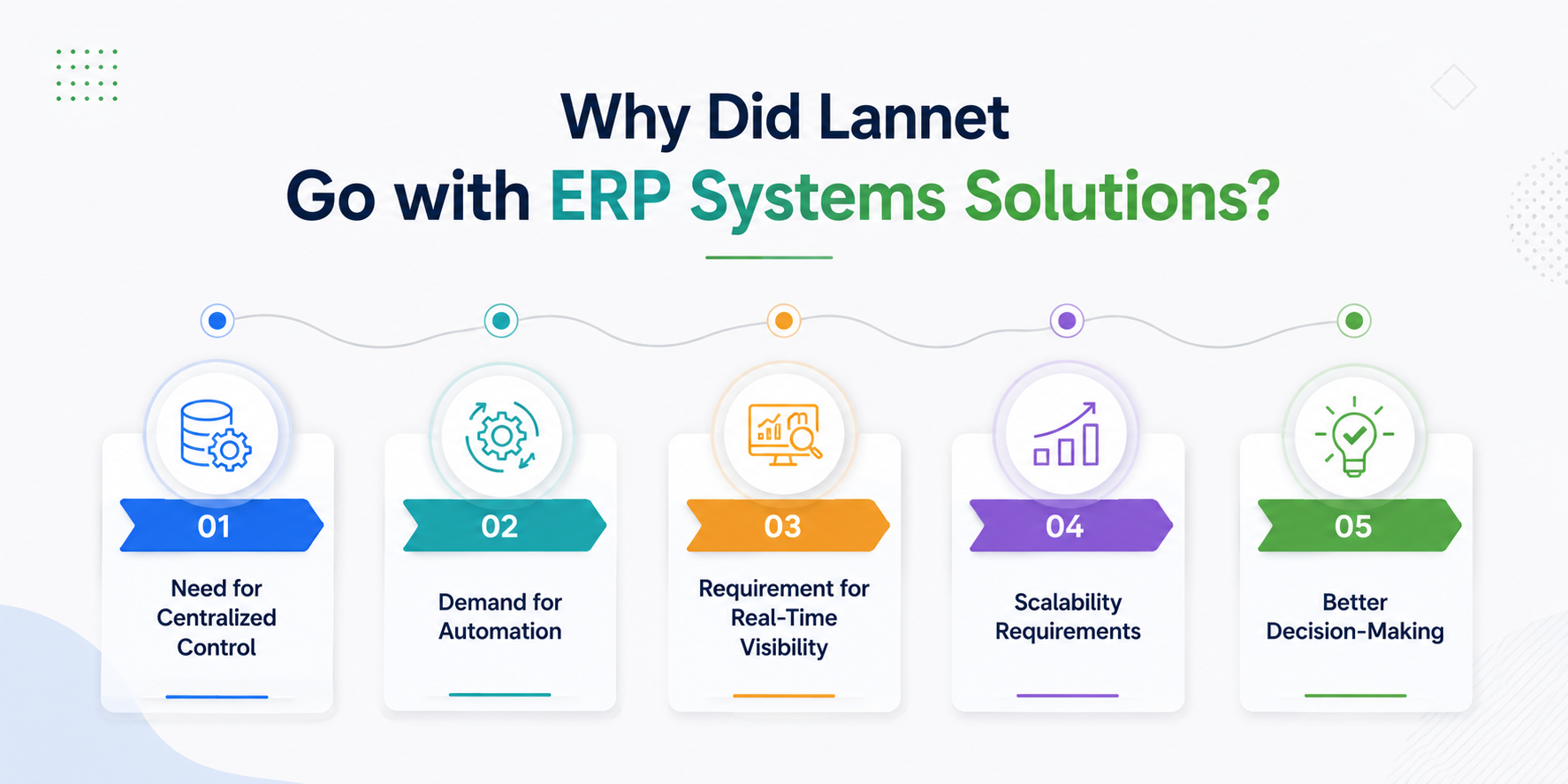
Many manufacturing companies, including organizations like Lannet (as referenced in industry ERP case studies), choose ERP systems like Dynamics 365 because of:
Need for Centralized Control
Managing multiple systems creates inefficiency and errors.
Demand for Automation
Manual processes slow down production and increase costs.
Requirement for Real-Time Visibility
Leadership teams need instant access to inventory data.
Scalability Requirements
Growing businesses need systems that grow with them.
Better Decision-Making
ERP systems provide insights that support strategic planning.
Dynamics 365 becomes a natural choice due to its flexibility, cloud capabilities, and strong integration features.
Conclusion
Inventory management is no longer just about storing and tracking goods—it’s about building a smart, connected, and predictive supply chain system.
With Microsoft Dynamics 365, manufacturers can transform traditional inventory systems into intelligent operations that reduce costs, improve efficiency, and support business growth.
By adopting Dynamics 365, businesses gain full visibility, automation, and control over their inventory lifecycle—making it a critical tool for modern manufacturing success.
Q1. What is Dynamics 365 used for in inventory management?
Dynamics 365 helps track, manage, and optimize inventory in real time across warehouses and production units.
Q2. Is Dynamics 365 suitable for manufacturing companies?
Yes, it is specifically designed to support manufacturing workflows, including production planning and supply chain integration.
Q3. Can Dynamics 365 reduce inventory costs?
Yes, it reduces overstocking, improves demand forecasting, and minimizes waste, leading to cost savings.
Q4. Does Dynamics 365 support multiple warehouses?
Absolutely. It offers centralized control for multiple warehouse locations.
Q5. Is Dynamics 365 cloud-based?
Yes, it is a cloud-based ERP system with scalable and secure infrastructure.